Quick answer: use Midjourney when you need mood-board concepts, art direction, or highly stylized room inspiration. Use a photo-based tool such as AI Room Designer when you want to upload your actual room photo, preserve windows and layout, and compare realistic redesign options before buying furniture or planning a renovation.
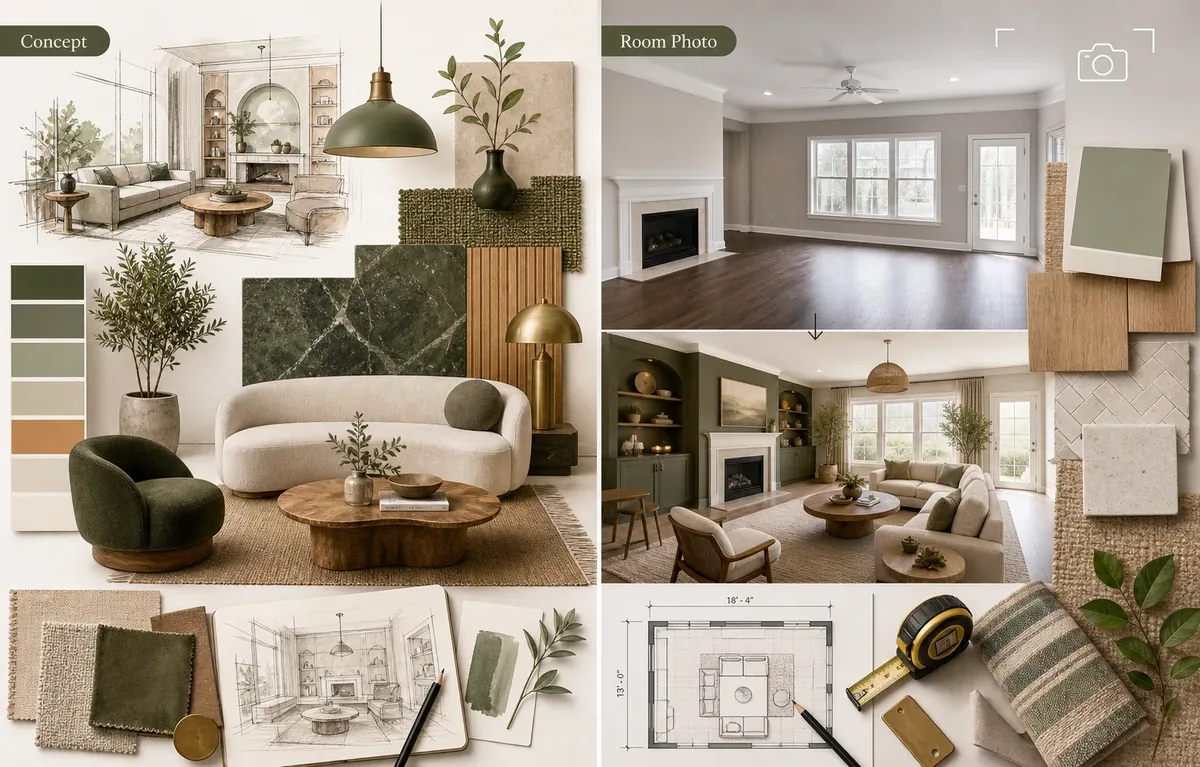
Midjourney vs AI Room Designer: The Real Decision
People search for a Midjourney interior design alternative for different reasons. Some want a simpler tool that accepts a room photo. Others want fewer prompts, less Discord-style workflow friction, or results that keep the actual wall lines, windows, flooring, and furniture scale. The best alternative depends on the job, not on which AI model looks most impressive in demo images.
Midjourney is excellent for visual imagination. It can explore materials, color palettes, lighting moods, and high-end concept directions. That makes it useful for designers, mood boards, brand decks, and early creative exploration. The weakness appears when a homeowner asks a practical question: what could my current room look like if I keep the same windows, doors, ceiling, flooring, and general layout?
A photo-based AI room designer starts with the existing space. The output is still a visual concept, not construction documentation, but it is anchored to a real photo. That makes it easier for renters, homeowners, real estate sellers, and DIY decorators to compare options quickly. If your search intent is closer to RoomGPT alternative, AI room design from photo, or free AI interior design, a room-photo workflow is usually a better first stop.
The boundary is simple: use Midjourney for design language, use AI Room Designer for room-specific decision making, and use a 2D or 3D planner when measurements and furniture clearance matter. Mixing those categories is the main reason many AI interior design comparisons feel confusing.
Quick Comparison: Which Tool Fits Which Interior Design Task?
Use this table before choosing a tool. A strong Midjourney alternative is not automatically the tool with the most cinematic images; it is the tool that solves your immediate design decision.
| Workflow | Best for | Where it struggles | Use it when |
|---|---|---|---|
| Midjourney | Mood boards, concept rooms, style exploration, visual art direction | Preserving a real room photo, exact geometry, easy beginner workflow | You need creative directions before a real room exists |
| AI Room Designer | Uploading a real room photo and generating practical redesign ideas | Construction drawings, exact measurements, product guarantees | You want to compare how your actual room could look |
| RoomGPT-style tools | Fast room-photo inspiration with simple style choices | Detailed planning, advanced editing, predictable control | You want a quick alternative to prompt-heavy tools |
| Planner 5D or Homestyler | 2D/3D layouts, furniture placement, scale, floor plans | Instant style exploration from one photo | You need measured layout decisions |
| Wayfair Decorify / Muse | Shoppable inspiration connected to product discovery | Neutral design exploration outside a catalog | You want ideas that can lead directly to buying furniture |
A Better Workflow for Real Rooms
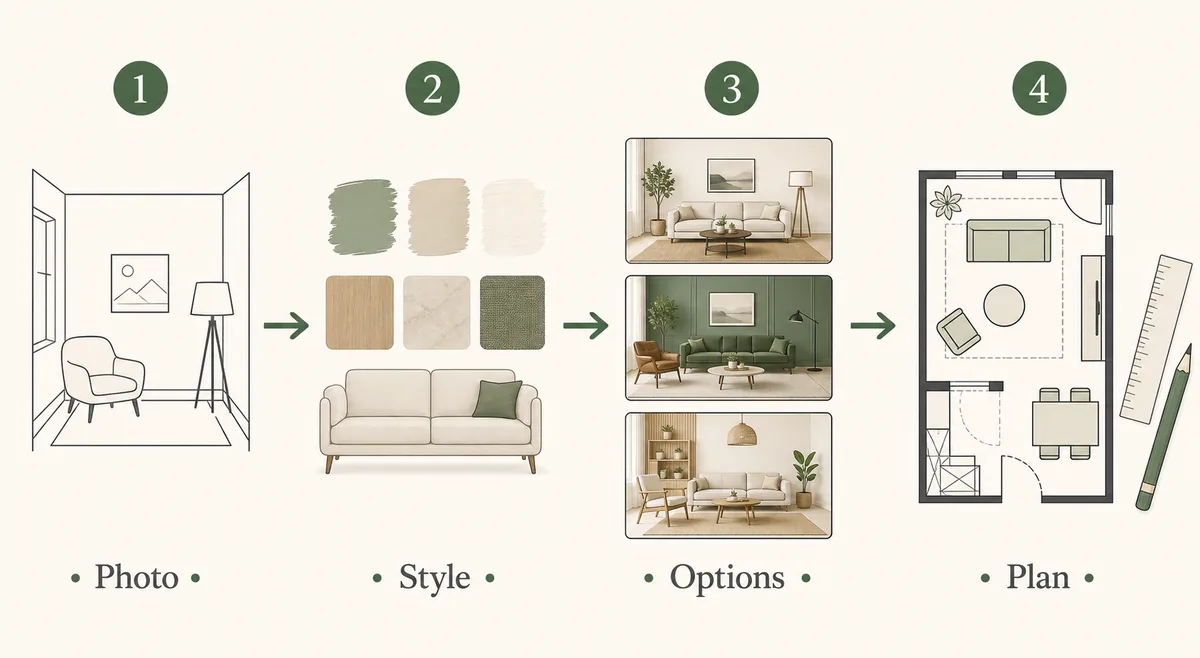
The practical workflow is not Midjourney versus every other tool. It is concept, photo, layout, and shopping in the right order.
1. Start with the room photo when the space exists
Take a bright photo from a corner or doorway so two walls and the floor are visible. Upload it to a photo-based tool and ask for several styles that preserve the room structure. This gives you usable options faster than writing prompt variations from scratch.
2. Use Midjourney for broader style language
If you still feel unsure about the mood, use Midjourney to explore phrases such as warm minimalism, soft Japandi, hotel-style bedroom, or organic modern living room. Treat those outputs as references, not as proof that the exact room will work.
3. Move to a planner when scale matters
When you need to decide whether a sofa fits, a desk blocks a doorway, or a kitchen island leaves enough walking space, switch to a layout planner. AI images should not replace measurements, electrical planning, plumbing constraints, or contractor advice.
4. Shop only after the direction is stable
Once the style and layout feel clear, use catalog tools or product sites to match materials, furniture sizes, paint samples, lighting, rugs, and storage. This keeps shopping from driving the design too early.
Best Midjourney Interior Design Alternatives by Use Case
AI Room Designer
Use AI Room Designer when the room already exists and you want practical before-and-after inspiration. It is especially useful for living rooms, bedrooms, kitchens, bathrooms, home offices, nurseries, exterior spaces, and virtual staging previews.
Compared with Midjourney, the advantage is lower setup friction: upload a room photo, choose a direction, and compare results. The tradeoff is that it is not a CAD tool and should not be treated as final renovation documentation.
RoomGPT-style tools
RoomGPT-style tools became popular because they make AI interior design feel immediate. They are a useful benchmark for anyone searching for a RoomGPT alternative, especially when speed matters more than fine control.
If you compare tools in this category, test them with the same room photo. Look at realism, structural preservation, free credits, watermark rules, and download quality instead of only judging the sample gallery.
Planner 5D and Homestyler
Planner 5D and Homestyler are better when layout accuracy matters. They help with furniture placement, 2D/3D planning, circulation, and room proportions. Use them after you know the visual direction or before you buy large furniture.
They are not always the fastest Midjourney alternative for a casual one-photo makeover, but they are stronger when your next decision involves dimensions.
Wayfair Decorify and Muse
Wayfair's AI tools are useful when inspiration and product discovery belong together. This is helpful after the room direction is stable and you want furniture or decor options that can be purchased.
Because shopping-led tools are catalog-connected, they are less neutral than a general AI room designer. That is useful for buying decisions but less ideal for early design exploration.
How to Choose the Right Alternative
Choose a photo-based AI room design tool if your search starts with “upload a photo of my room.” The tool should preserve the existing shell, produce multiple style directions, and make it easy to compare results with another person.
Choose Midjourney if you need a richer visual vocabulary. It can help you discover whether you prefer moody modern, quiet luxury, Scandinavian, maximalist, or organic contemporary interiors. Bring those style words back into your room-photo workflow once you find a direction.
Choose a planner if you are making layout commitments. No AI image generator can tell you with certainty whether a cabinet door opens, a sofa fits through the entry, or a dining chair has enough pull-out room. Measurements still win.
Choose a shopping visualizer when the design decision is already narrowed. At that stage, product availability, price, shipping, material samples, and dimensions matter more than another round of concept art.
For free tools, check the first-result friction: signup requirements, credit count, watermarks, download quality, and whether the first useful output appears before payment. A tool can be powerful and still be a poor fit for a quick free test.
Prompt Tips If You Still Use Midjourney
If you use Midjourney alongside a room-photo tool, keep the prompt focused on design language rather than pretending the image is your exact room. Include room type, style, materials, lighting, color palette, and a realism cue. Avoid asking it to solve measurements or construction details.
A useful prompt might describe “warm minimalist living room, olive and oak palette, low-profile sofa, linen curtains, soft daylight, realistic interior photography.” Then use the result as a mood reference for your real room redesign.
For practical room-photo prompts, be more specific about what must stay fixed: preserve the windows, keep the fireplace, do not move the kitchen, keep a clear path to the balcony, or maintain the existing floor. The AI interior design prompts guide gives more room-by-room examples.
FAQ
What is the best Midjourney interior design alternative?
The best alternative depends on the task. For real room photos, use AI Room Designer or another photo-based room redesign tool. For floor plans, use Planner 5D or Homestyler. For shopping-led inspiration, use Wayfair Decorify or Muse.
Is Midjourney good for interior design?
Yes, Midjourney is strong for concept art, mood boards, and style exploration. It is less convenient when you need to redesign a specific existing room while preserving its actual geometry.
What is a good RoomGPT alternative?
A good RoomGPT alternative should accept a real room photo, offer clear style choices, generate useful before-and-after ideas, and explain credit or download limits clearly. AI Room Designer is one photo-first option to test.
Can AI room design replace an interior designer?
No. AI room design can speed up visual exploration, but it does not replace professional judgment for structure, safety, code compliance, custom millwork, electrical planning, plumbing, or final material specifications.
Should I use Midjourney or AI Room Designer first?
Use AI Room Designer first when you have a real room photo and need practical redesign options. Use Midjourney first when you are still exploring broad creative styles or conceptual interiors.
Useful Official References
- Midjourney documentation - reference for prompt-first image generation workflow
- Planner 5D AI house design - example of a planner-led AI home design workflow
- Wayfair Decorify - example of shopping-connected AI room inspiration
- Wayfair Muse announcement - official context for shopping-led AI home inspiration
Try a Room-Photo AI Workflow
Upload a real room photo and compare realistic style directions before you spend time on prompts, floor plans, or shopping lists.
Upload a Room Photo