Quick answer: the best AI interior design prompt follows this formula: room type + photo context + goal + fixed constraints + style + materials + lighting + what to avoid. If you already have a room photo, use the prompt to guide a photo-based tool such as AI Room Designer; if you are using a text-to-image model, add camera angle and realism notes so the result is easier to judge.
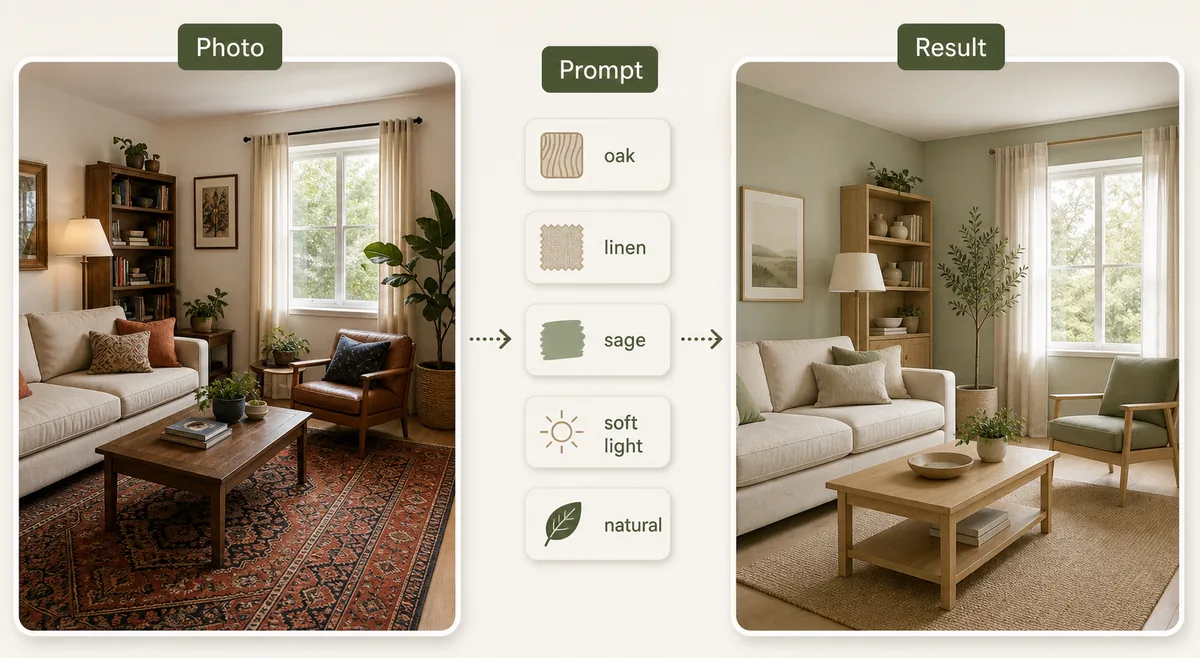
The AI Interior Design Prompt Formula
Most weak prompts fail because they only say something like “modern living room” or “make this bedroom cozy.” That gives the model a style label, but it does not explain what must stay, what problem should be solved, or what kind of home the result should fit.
Use a prompt that separates the design brief into clear parts. Start with the room type and current context, then state the practical goal, list fixed constraints, name the style, and add materials, palette, lighting, and avoid rules. This works for text-to-image tools, but it is especially useful when you upload a real room photo and want the result to keep the room recognizable.
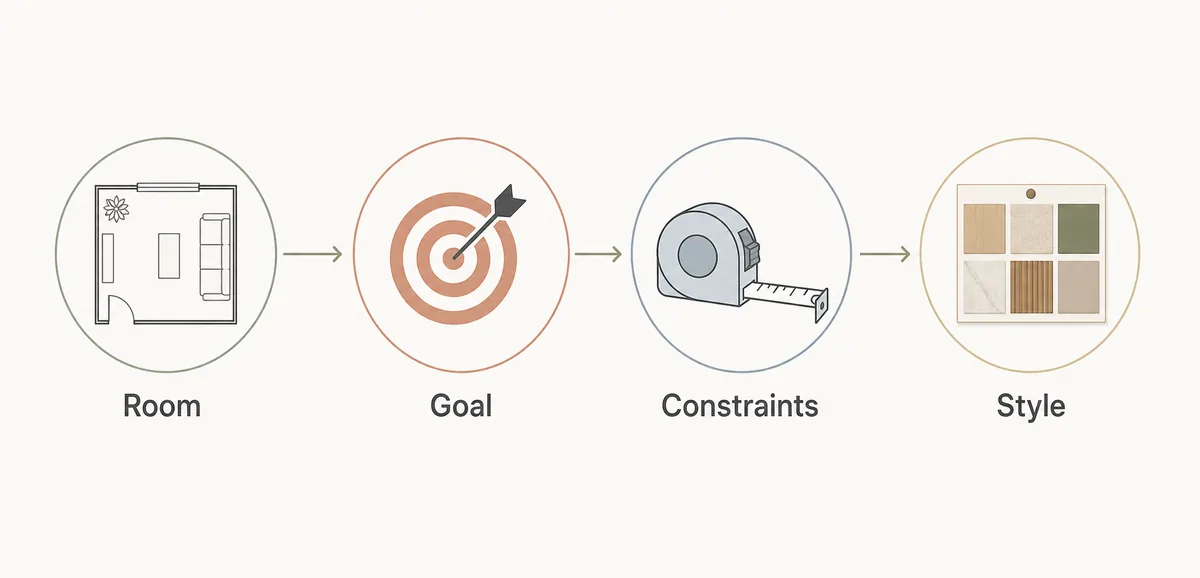
Room: [room type and current condition]
Goal: [what should improve]
Constraints: [keep windows, doors, flooring, budget, layout, or furniture]
Style: [style, palette, materials, lighting]
Avoid: [changes that would make the result unusable]
Output: realistic room design concept, natural light, practical furniture scale
Room-by-Room AI Interior Design Prompt Examples
The fastest way to improve your prompt is to make it specific to the room type. A living room prompt should mention seating, TV wall, rug size, traffic paths, and windows. A kitchen prompt should mention cabinets, counters, backsplash, lighting, and whether the layout must stay. A bedroom prompt should mention storage, bed wall, nightstands, curtains, and calm lighting.
Use the examples below as starting points, then replace the constraints with details from your actual room photo. A realistic prompt should keep what cannot change and only ask the AI to explore choices you would actually consider.
| Room | Prompt starter | Best use |
|---|---|---|
| Living room | Redesign this small living room with a warm modern style, keep the window and sofa wall, improve seating flow, add a lighter rug, soft curtains, walnut accents, and layered warm lighting. | Testing decor direction, rug scale, seating balance, and color mood. |
| Bedroom | Create a calm Japandi bedroom from this photo, keep the bed position and closet doors, add low-profile storage, warm oak, linen bedding, soft wall color, and uncluttered nightstands. | Making a bedroom feel calmer without changing the layout. |
| Kitchen | Preview a practical modern kitchen refresh, keep the existing layout and appliances, test light oak lower cabinets, off-white uppers, matte black pulls, warm under-cabinet lighting, and a simple tile backsplash. | Checking cabinet, backsplash, and lighting combinations before renovation. |
| Bathroom | Update this bathroom with a bright spa-inspired look, keep plumbing locations, preserve shower size, test large-format tile, floating vanity, warm mirror lighting, and better storage. | Exploring finishes while avoiding unrealistic plumbing moves. |
| Home office | Design a focused home office for video calls, keep the window and desk wall, add closed storage, acoustic softness, warm task lighting, cable control, and a professional neutral palette. | Improving work function, background, lighting, and storage. |
| Exterior entry | Refresh this home exterior entry, keep roofline and windows, test softer siding color, clearer trim contrast, updated porch lighting, planters, and a welcoming path. | Testing curb appeal without asking for structural changes. |
How to Write Prompts When You Upload a Room Photo
When you use a photo-based AI room design workflow, the prompt should act like a design brief attached to the image. Do not describe the whole room from scratch. Instead, tell the AI what it should preserve and what it should change. This helps avoid common failures such as moved windows, impossible furniture scale, missing doors, or a room that no longer resembles your home.
A strong photo prompt also states the decision you want to make. If you want to test paint colors, focus the prompt on walls, trim, ceiling, and natural light. If you want furniture direction, mention seating capacity, walking paths, storage, and pieces that must remain. If you want a listing-ready look, keep the prompt neutral and emphasize broad buyer appeal.
Using the uploaded room photo, keep the window placement, door location, ceiling height, and main furniture footprint. Redesign the room in a [style] direction with [palette/materials]. Improve [specific problem], but avoid changing structural features, adding impossible built-ins, or replacing fixed elements that are not part of the project.
Bad AI Room Design Prompts and How to Fix Them
Bad prompts are usually too vague, too decorative, or too unrealistic. “Make it luxury” can produce marble walls, oversized lighting, and furniture that will not fit. “Make it bigger” may cause the model to remove walls or distort the room. “Scandinavian interior” may look clean but ignore storage, budget, or the furniture you need to keep.
Fix the prompt by adding the missing decision rule. Replace style-only language with practical boundaries: what the room is for, what cannot move, what should feel better, which materials are acceptable, and which changes are off-limits.
| Weak prompt | Why it fails | Better prompt |
|---|---|---|
| Make this living room modern. | No goal, constraints, palette, or furniture guidance. | Modernize this living room while keeping the sofa wall and window, improve lightness, use warm neutrals, oak, linen, and a larger rug without changing the room structure. |
| Design a luxury bathroom. | May invent expensive finishes and impossible plumbing moves. | Create a restrained spa bathroom concept, keep plumbing locations and shower size, test warm tile, better vanity storage, soft lighting, and realistic renovation finishes. |
| Make my bedroom cozy. | Cozy can mean many different visual directions. | Make this small bedroom feel calmer and less cluttered, keep bed position, add closed storage, warm white walls, linen bedding, soft reading lights, and no bulky furniture. |
| Create a dream kitchen. | Too broad for a useful renovation preview. | Refresh this galley kitchen, keep appliance locations, compare light cabinets, quartz-look counters, simple backsplash, under-cabinet lighting, and practical storage improvements. |
Style Words That Work Better Than Generic Labels
Style labels are useful, but they work best when paired with materials and mood. “Modern” is too broad on its own. “Warm modern with oak, linen, matte black accents, soft white walls, and layered lighting” gives the AI a clearer visual direction. “Minimalist” can look empty unless you add storage and texture. “Luxury” often becomes unrealistic unless you specify restraint.
For AI interior design prompts, combine one style family with two or three material cues and one lighting cue. For example: Scandinavian + pale oak + wool rug + diffused daylight. Japandi + low furniture + warm plaster + linen. Coastal + white oak + woven texture + airy daylight. Industrial + brick + black metal + warm lamps. This keeps the output recognizable without making the prompt too long.
Which Tool Should You Use With These Prompts?
If your goal is to redesign a real room photo, use a photo-based tool first. It anchors the AI to your actual walls, windows, and furniture footprint. Start with free AI interior design when you want a low-friction test, or choose a dedicated room page such as AI living room design, AI bedroom design, or AI kitchen design when the room type matters.
If your goal is pure mood-board exploration, a text-to-image model can be useful. In that case, add camera angle, lens, realism, and composition notes. If your goal is measured furniture placement or floor plans, use a planner workflow and read the upload floor plan and design guide instead of relying on a visual prompt alone.
Final Prompt Checklist Before You Generate
Before you run the prompt, check whether it answers five questions: What room is this? What design decision do I need? What must stay fixed? Which style, materials, and colors should guide the result? What should the AI avoid? If one of those answers is missing, the output will be harder to use.
After generation, compare the result against the original room photo. Look for preserved windows, doors, ceiling height, walking paths, furniture scale, and storage reality. Save the best result as inspiration, then verify finishes, measurements, and purchases outside the AI tool.
FAQ About AI Interior Design Prompts
What is the best AI interior design prompt?
The best prompt names the room, the design goal, fixed constraints, style, materials, lighting, and avoid rules. It should describe the decision you want help with, not just a style label.
Do AI room design prompts work better with a photo?
Yes for real home projects. A room photo gives the AI existing geometry and context. The prompt should then explain what to preserve and what to redesign.
Can I use these prompts in Midjourney or other text-to-image tools?
Yes, but add camera angle, realism, and composition notes. Text-to-image tools can create strong mood boards, while photo-based room design tools are better when you need to preserve your actual room.
Why does AI change windows, doors, or room layout?
AI often changes structure when the prompt is vague or when the source photo is hard to read. Add explicit constraints such as keep window placement, keep door location, keep flooring, and keep the main furniture footprint.
Should I ask for a specific interior design style?
Yes, but combine the style with materials, palette, and lighting. Warm modern, Japandi, Scandinavian, coastal, farmhouse, and industrial prompts work better when you add concrete visual cues.
Can AI prompts replace an interior designer?
No. They are useful for early visual direction, comparing ideas, and preparing conversations. Final renovation decisions still need measurements, product checks, budget review, and professional advice when structural work is involved.
Test Your Prompt on a Real Room Photo
Upload a room photo, choose a style direction, and use a clearer prompt to compare realistic design ideas before you buy furniture or start a renovation.
Try AI Room Designer