AI Living Room Design from Photo
Upload your current living room photo, preview realistic redesign ideas, and compare sofa layout, TV wall, lighting, paint, rugs, curtains, and decor before you buy furniture or start a remodel. This AI living room design page is built for real spaces where comfort, hosting, storage, media walls, and everyday family movement all have to work together.
Choose Living Room Style


Choose Room Type
Drag & Drop Living Room Photo
Supports JPG, PNG, WebP formats, max 20MB
Why Use AI Living Room Design on Your Real Space
People searching for AI living room design usually want more than a mood board. They want to see how their own sofa wall, TV wall, windows, flooring, and traffic flow could look after a realistic redesign. This page is focused on that practical decision process.
Upload Your Actual Living Room
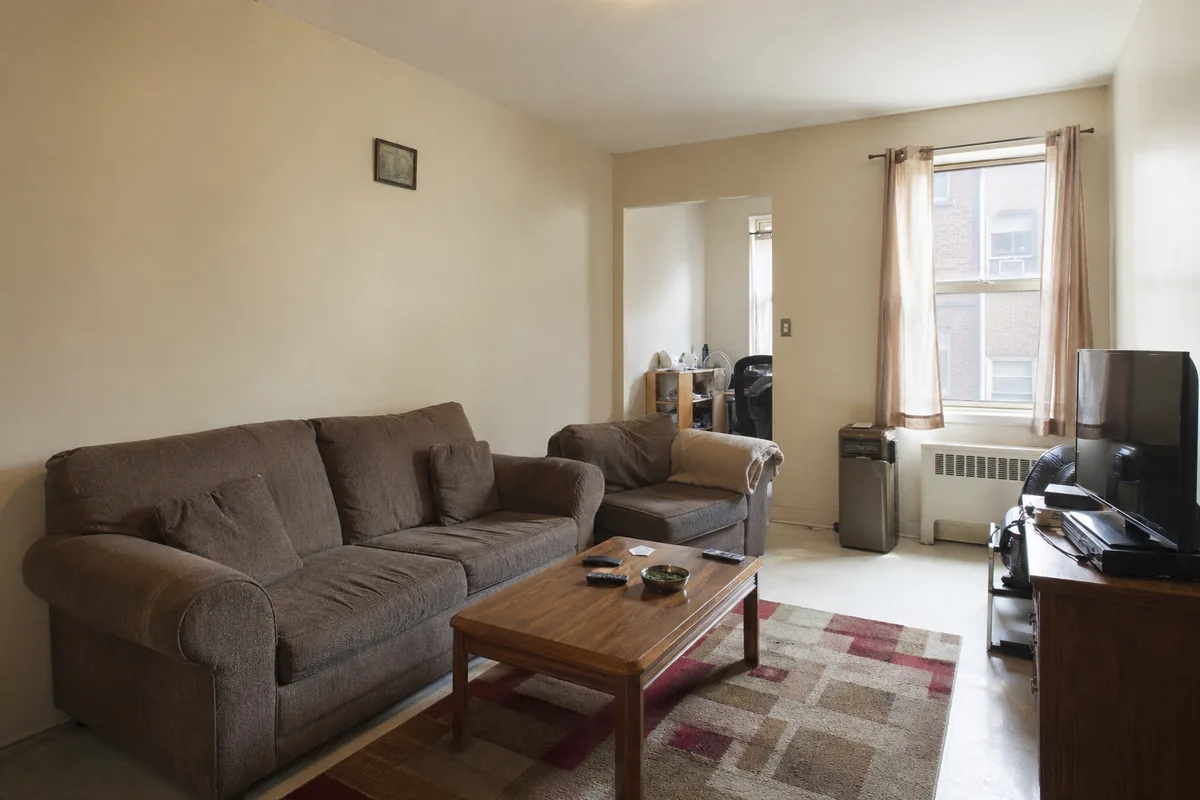
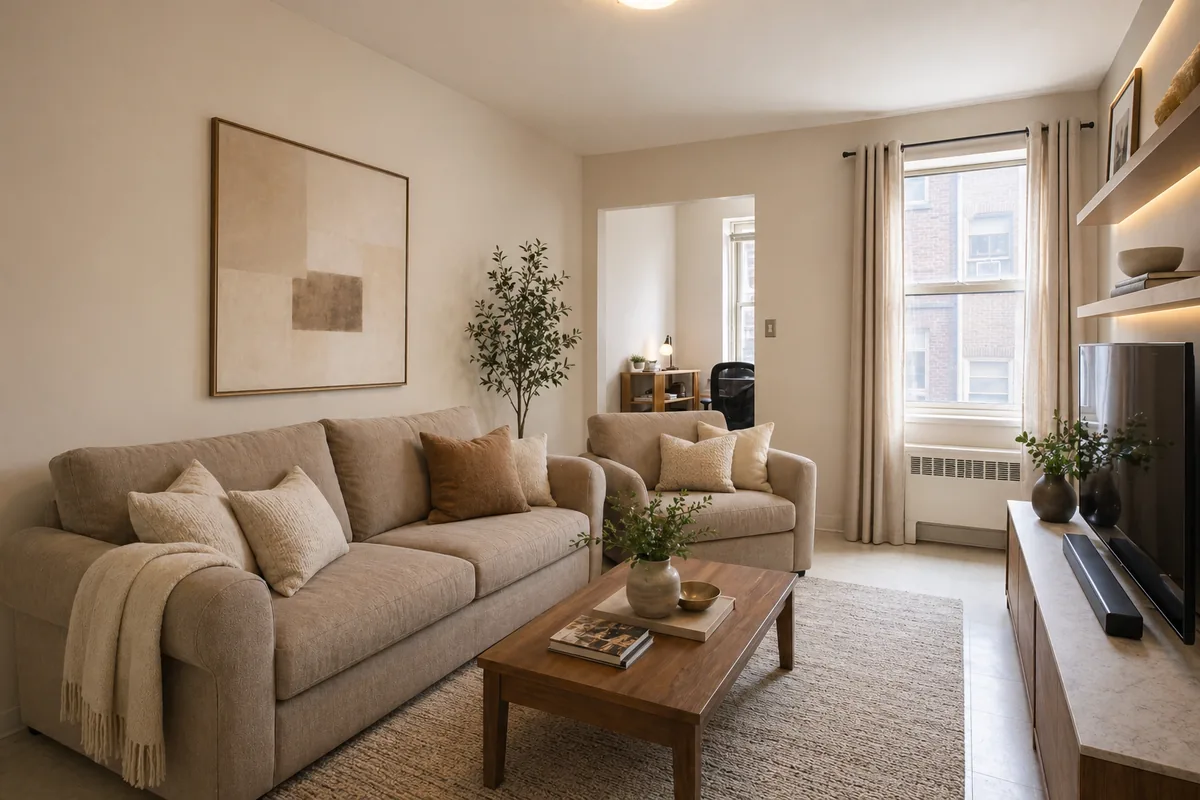
Start with a real living room photo instead of a blank room. That makes the AI living room design result easier to evaluate because it responds to your windows, proportions, flooring, sofa wall, TV wall, and existing constraints.
Preview Sofa Layout and Conversation Flow
The sofa usually anchors the room. Use AI living room design to test seating balance, coffee table placement, walkway clearance, and whether the layout supports watching TV, hosting guests, and daily family use.
Test TV Wall and Media Storage Ideas
A living room often fails when the TV wall feels unfinished or visually heavy. Preview media consoles, built-in shelving, accent walls, artwork, and storage ideas before you commit to furniture or construction.
Compare Lighting, Paint, and Atmosphere
Wall color, curtains, lamps, and natural light can completely change how a living room feels. This AI living room generator helps you compare warmer, brighter, calmer, or more dramatic directions in minutes.
Plan Rugs, Curtains, and Decor Scale
Rugs that are too small, curtains hung too low, and decor that fights the room scale are common living room mistakes. A preview makes those decisions easier to judge before you buy.
Make Decisions Before You Spend
A visual AI living room design is easier to discuss with a partner, family member, designer, or contractor than a vague description. Use it to narrow choices before ordering furniture, repainting, or remodeling.
What You Can Preview with an AI Living Room Designer
A good living room has to look inviting while still handling everyday movement, media use, storage, and guests. These are the living room design decisions that are most useful to test before spending money.
Sofa Placement and Seating Balance
Preview whether a sectional, standard sofa, accent chair, or tighter seating plan makes the room feel more open. AI living room design is especially useful when you are trying to balance comfort with walkway space.
TV Wall, Fireplace Wall, or Feature Wall
Test media walls, shelving, paneling, paint, artwork, and console ideas without committing to a heavy built-in. This helps you see whether the focal wall feels clean, warm, or too busy.
Paint Colors and Material Mood
Compare warm neutrals, organic modern tones, brighter Scandinavian palettes, or richer dramatic colors on your actual room photo instead of guessing from paint chips or generic inspiration images.
Rugs, Curtains, and Soft Decor
Small styling changes can have a large visual effect in a living room. Preview rug size, curtain height, throw pillows, plants, wall art, and coffee table styling before buying the pieces.
Open-Plan Flow and Walkways
Open living rooms often connect to dining areas, entries, kitchens, or stairs. A preview helps you judge whether the design supports movement instead of blocking the natural path through the home.
Storage and Display Without Clutter
Living rooms need room for remotes, books, games, blankets, speakers, and personal decor. AI can help compare cleaner storage and display directions so the space feels finished rather than crowded.
How to Use AI Living Room Design from Photo
The workflow is simple and built around realistic living room decisions rather than complicated design software.
Upload Your Current Living Room Photo
Use a clear photo that shows the main seating area, TV wall or focal wall, windows, and floor. Daylight photos usually give the AI more useful context for layout, color, and lighting.
Choose a Living Room Style
Select a style such as modern, Scandinavian, farmhouse, minimalist, industrial, bohemian, luxury, or coastal. This gives the AI a clear visual direction for furniture, color, materials, and decor.
Keep Living Room Selected as Room Type
Living room is preselected on this page so the generator stays focused on seating, media walls, rugs, lighting, storage, curtains, and shared-space flow.
Compare the AI Living Room Preview
Review the before-and-after result, notice which ideas feel realistic, and use the preview to guide decisions about furniture, paint, lighting, decor, or a larger remodel.
Living Room Details to Decide Before You Redecorate
A living room has to do more than look good in a single image. It needs to support conversation, TV watching, relaxing, storage, pets, kids, guests, and movement through the home. These are the areas where a preview can reduce guesswork.
Who This AI Living Room Design Page Helps Most
This page is best for anyone with an existing living room who wants to compare realistic ideas before buying furniture, changing paint, or starting a larger redesign.
Homeowners Planning a Living Room Refresh
Use AI living room design to compare layouts, colors, and furniture directions before you commit to a remodel or order major pieces.
Renters and Apartment Dwellers
Preview renter-friendly changes like sofas, rugs, curtains, lamps, plants, and art so the living room feels more finished without permanent construction.
Small or Open-Plan Living Rooms
Small and open-plan rooms are high-stakes because every object affects flow. A preview helps you test seating, storage, and room zones before moving furniture.
Common Questions About AI Living Room Design
These answers focus on what people usually want to know before trying an AI living room design from photo tool.
What is AI living room design?
AI living room design uses your room photo and a selected style to create a visual redesign preview. It helps you compare ideas for sofa layout, TV wall, lighting, paint, rugs, curtains, and decor before making real changes.
Can I upload a photo of my living room?
Yes. This page is built around a living room design from photo workflow. A real photo gives the AI context about your wall positions, windows, flooring, furniture scale, and room proportions.
Is this AI living room design tool free to try?
You can try the experience through the normal access flow and generate living room ideas with credits. The page is designed so you can quickly understand the workflow before deciding how many versions you want to compare.
Can AI help with a small living room layout?
Yes. Small living rooms are a strong use case because sofa size, rug scale, storage, and walkway clearance all matter. A preview helps you see which direction makes the room feel more open and less crowded.
Can I preview sofa placement and TV wall ideas?
Yes. Sofa placement, media walls, feature walls, shelving, and console ideas are core living room decisions. The preview is useful for comparing focal wall options before you buy furniture or start installation work.
Can AI suggest paint colors, curtains, rugs, and lighting?
Yes. AI living room design works well for visual decisions like wall color, curtain height, rug size, lamp placement, warm lighting, plants, artwork, and soft decor. It is most helpful when you compare several versions.
Does AI living room design replace an interior designer?
No. It is best used as a visual planning and decision tool. It can help you explore ideas quickly, but it does not replace measured drawings, construction expertise, electrical planning, structural advice, or local building requirements.
What kind of living room photo works best?
Use a bright, clear photo that includes the main seating wall, TV or focal wall, windows, and floor area. Avoid extreme wide-angle distortion when possible, and keep key furniture visible so the result respects the real room.
Try AI Living Room Design Before You Redecorate
Upload your living room photo, compare realistic makeover ideas, and make sofa, lighting, paint, rug, curtain, and TV wall decisions with more clarity.