Quick answer: if you want the best AI room designer for a real room photo, start with a photo-based tool such as AI Room Designer. If you need measured layouts, choose a planner such as Planner 5D or Homestyler. If your goal is furniture shopping, a catalog-connected tool such as Wayfair Decorify or Muse is more useful than a neutral design generator.
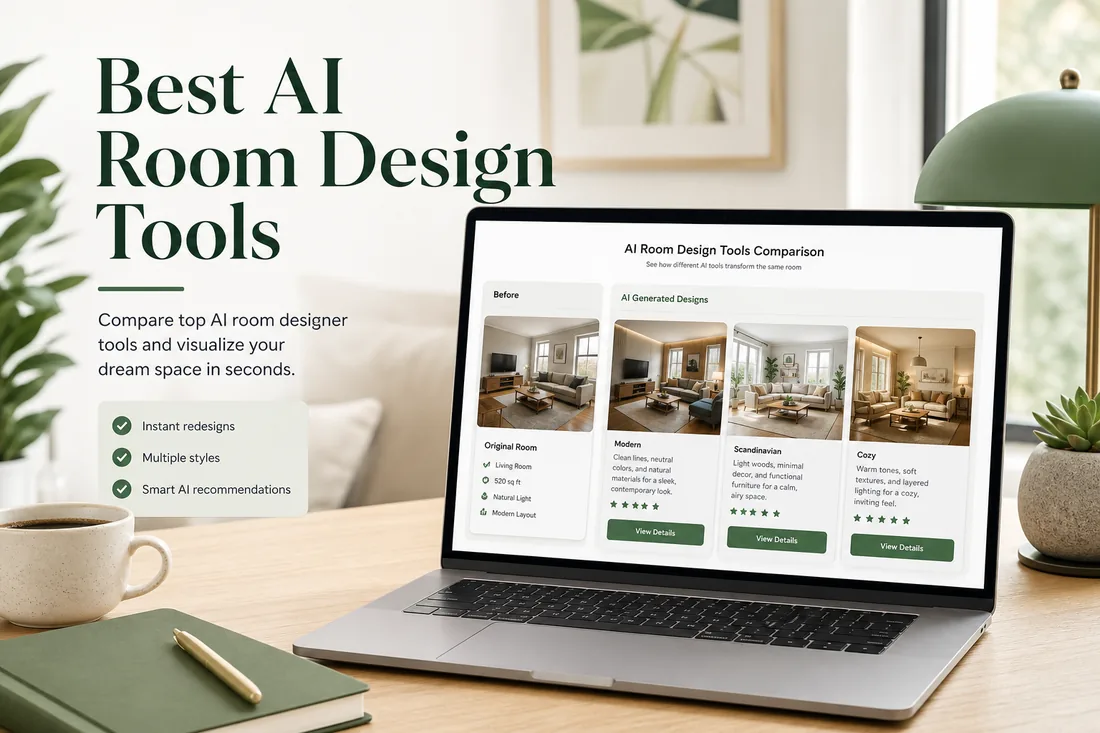
Best AI Room Designer Tools: Quick Comparison
Most search results mix AI room designers, AI room planners, 3D floor planning apps, virtual staging products, and shopping visualizers into one list. That is confusing because these tools solve different problems. The table below separates them by the job they are best at.
| Tool | Best for | Photo upload | Free option | Main limitation |
|---|---|---|---|---|
| AI Room Designer | Fast redesigns from a real room photo | Yes | Free to start | Not a CAD or construction planning tool |
| ReimagineHome | Virtual staging, decluttering, room repurposing | Yes | Limited free access may vary | Can be more complex than a quick inspiration tool |
| RoomsGPT / RoomGPT | Quick style inspiration | Yes | Free daily credits on official pages | Better for concepts than precise layout planning |
| Interior AI | Rapid style exploration and room concepts | Yes | Check current plan details | Output quality depends heavily on the input photo |
| Planner 5D | 2D/3D room layouts and floor plans | Partial workflow support | Free app features available | Slower if you only want a one-photo makeover |
| Homestyler | 3D furniture planning and room modeling | Varies by workflow | Free to start | Heavier learning curve than photo redesign tools |
| Wayfair Decorify / Muse | Shoppable room inspiration | Yes | Usually free to try | Results naturally connect to Wayfair catalog |
| Fotor AI Interior Design | AI image editing plus interior ideas | Yes | Free tier details vary | Broader image editor, less focused on one room workflow |
What Counts as an AI Room Designer?
An AI room designer is any tool that helps you visualize a room design with artificial intelligence. In practice, the phrase covers four different product types. A photo-based AI room designer lets you upload a real room photo and generate new visual concepts. A text-to-room generator creates a room from a prompt, which is useful for mood boards but less tied to your actual space.
A 2D/3D room planner focuses on layout, dimensions, and furniture placement. It is usually better when you care about scale, traffic flow, or a floor plan. A shoppable room visualizer connects the design result to furniture catalogs, which is useful when you are ready to buy but less neutral when you only want design direction.
This difference matters. If you search for the best free room design AI and open a 3D planner, you may spend twenty minutes drawing walls before seeing any style idea. If you open a photo redesign tool when you need exact cabinet dimensions, you may get a beautiful image that is not enough for renovation planning.
The Best AI Room Design Tools in 2026
1. AI Room Designer
AI Room Designer is the strongest fit when your goal is simple: upload a current room photo, choose a room type or style, and get visual redesign ideas quickly. It is useful for living rooms, bedrooms, bathrooms, home offices, rental spaces, and early renovation conversations.
The main advantage is focus. Instead of asking you to build a floor plan first, the workflow starts from the room you already have. That makes it practical for homeowners and renters who want to compare modern, minimalist, Scandinavian, farmhouse, luxury, coastal, or industrial directions before buying furniture or speaking with a contractor.
Best use case: quick before-and-after room inspiration from a real photo. Not ideal for: exact construction drawings, structural decisions, electrical plans, or final renovation budgets.
2. ReimagineHome
ReimagineHome is a broad AI interior visualization platform. Its official positioning covers interior design ideas, virtual staging, decluttering, room repurposing, surface restyling, commercial spaces, and bathroom remodel concepts. That makes it especially relevant for real estate marketing and users who need more than a quick style filter.
If you are comparing the best AI for interior design, ReimagineHome deserves attention because it covers many design-adjacent tasks. The tradeoff is that casual users may not need the full breadth if they only want a fast living room or bedroom makeover.
3. RoomsGPT / RoomGPT
RoomsGPT and RoomGPT-style tools are popular because they make AI room design feel immediate: upload a room, choose a style, and generate a new look. Official pages commonly emphasize many styles, room support across bedrooms and living rooms, and free daily credits.
This category is good for fast brainstorming. It is less suitable when you need careful geometry preservation, furniture measurements, or a detailed shopping plan. Treat the output as concept art for your actual space, not as a final design document.
4. Interior AI
Interior AI is built around uploading a space photo and seeing it redesigned across different interior styles. Its official pages also mention exterior redesign, empty room furnishing, and wall paint visualization. That makes it useful when you want many style directions before narrowing down a renovation mood.
The important test is whether the output keeps your actual room structure. For any AI interior design app free or paid, check how it handles windows, doorways, ceiling height, flooring, and existing light. A beautiful render is less helpful if it changes the room beyond recognition.
5. Planner 5D
Planner 5D is closer to a room planner than a one-click AI room designer. It is valuable when you need 2D and 3D editing, room layouts, furniture arrangement, and a clearer sense of scale. If your project involves moving furniture, planning a home office layout, or testing traffic flow, this category can beat a photo-only AI tool.
The tradeoff is speed. A floor plan workflow asks for more setup. If you only want to know whether your bedroom looks better in Japandi, coastal, or modern style, a photo-based redesign tool is faster.
6. Homestyler
Homestyler is a browser-based interior design platform for users who want to build and furnish rooms in 3D. It is stronger for users who enjoy arranging furniture, testing layouts, and working with a more complete room model.
It is not the lightest answer to “best room designer AI” if the searcher expects instant photo transformation. It is better for layout-minded users who are willing to spend more time inside a design workspace.
7. Wayfair Decorify / Muse
Wayfair's AI design direction is shopping-focused. Decorify lets users upload room photos and explore redesigned looks, while Wayfair announced Muse in 2025 as an AI-powered tool that connects inspiration and personalized home shopping.
This is a strong path if you want room ideas connected to products you can buy. It is less neutral than standalone AI room design tools because the experience naturally points back to a catalog. That is not a flaw; it is simply a different job.
8. Fotor AI Interior Design
Fotor is a broader AI image platform that includes AI interior design and bathroom design workflows. It can be useful if you also want image editing, replacement, inpainting, or creative visual experiments alongside room redesign ideas.
If your main search is Fotor AI bathroom designer, compare it against a dedicated AI bathroom design workflow. A general editor may offer flexibility, while a room-specific tool may feel easier for repeated room transformations.
9. Remodel AI
Remodel AI appears often in SERP comparisons for AI room planner and renovation visualization queries. It is worth testing if you prefer a mobile-first experience and want to experiment with remodel concepts, exterior changes, or renovation-style previews.
When comparing it with the best AI room designer tools, focus on how many useful results you can produce before paying, whether the output keeps the existing room structure, and whether downloads are practical for sharing.
10. GenRoom, DecorAI, and similar tools
Several newer tools compete around the same promise: upload a room photo, choose a style, and generate interior design options. They can be useful alternatives, especially if they offer a generous free tier or a style you prefer.
Because this category changes quickly, evaluate them with the same test photo. Look for realism, room structure preservation, download quality, signup friction, watermark rules, and whether the free plan is enough to make a real decision.
How to Choose the Best AI Room Designer
If you want speed, choose a photo-based AI room designer. The first result should appear after uploading a room photo and selecting a style, not after building an entire model. This is the best route for early decisions such as “Should my living room be warmer?”, “Would dark cabinets work?”, or “Can this small bedroom feel less cramped?”
If you need accurate layout, choose a 2D/3D planner. That is where tools like Planner 5D and Homestyler make more sense. They help with furniture placement, walking paths, and room proportions. A photo-based redesign can inspire the look, but it should not replace measurement-based planning.
If you need shopping links, choose a catalog-connected visualizer. Wayfair-style tools are built to move from inspiration to products. If you need a neutral concept first, use an independent room design AI tool, then shop once you know the style direction.
If you need free access, read the current plan details carefully. The phrase best ai for room design free can mean free daily credits, free preview only, free account required, or a free trial that later requires payment. The safest approach is to test one room photo and confirm whether downloads, watermark removal, and commercial use are included.
How to Get Better AI Room Design Results
Your input photo strongly affects the output. Use a bright image shot from a normal standing height, preferably from a corner or doorway so the AI can see two walls and the floor. Avoid extreme wide-angle distortion, heavy clutter, dark rooms, and photos where furniture blocks most of the layout.
For living rooms, capture windows, rugs, sofa placement, and the main wall. For bedrooms, include the bed wall, side tables, closet doors, and natural light. For bathrooms, include the vanity, shower or tub, tile, mirror, and visible floor. These details help the AI preserve room geometry while changing finishes, colors, and style.
Run several styles before judging a tool. A single bad generation does not always mean the tool is poor; sometimes the chosen style conflicts with the room. For example, a tiny rental bedroom may look better in minimalist or Scandinavian style than in heavy luxury styling.
What AI Room Design Tools Cannot Reliably Do
AI room design tools are excellent for visual exploration, but they are not licensed contractors, architects, engineers, or electricians. Do not use a generated image as proof that a wall can be removed, plumbing can be moved, a fireplace can be installed, or a built-in cabinet will fit.
They also cannot guarantee exact product matches unless the tool is connected to a shopping catalog. Even then, colors, materials, and scale should be checked against product pages and physical samples. Use AI images to clarify direction, not to skip due diligence.
A Practical Scoring Framework
When testing the best free room design AI tools, use one consistent room photo and rate each tool on the same criteria. This makes the comparison fairer than relying on demo images from product pages.
| Scoring factor | Suggested weight | What to check |
|---|---|---|
| Photo realism | 25% | Does the result look like a plausible real room rather than a generic render? |
| Room structure preservation | 25% | Does it keep windows, doors, wall lines, ceiling height, and layout? |
| Friction to first result | 15% | How fast can a beginner upload a photo and see a useful design? |
| Free tier usefulness | 15% | Can you generate enough results to decide before paying? |
| Style and room coverage | 10% | Does it support the room type and style you actually need? |
| Practical next step | 10% | Can you share, download, shop, or discuss the result with someone? |
FAQ About the Best AI Room Design Tools
What is the best AI room designer in 2026?
The best AI room designer depends on your use case. Choose AI Room Designer for fast room photo redesign, Planner 5D or Homestyler for layouts and 3D planning, ReimagineHome for staging and broader visual edits, and Wayfair Decorify or Muse for shoppable inspiration.
What is the best free AI room design tool?
The best free AI room design tool is the one that lets you create enough useful results before paying. Look for free credits, no unnecessary credit card requirement, clear download rules, and realistic output from your own photo. Always verify current free-tier limits on the official site.
Can I upload a photo of my room and redesign it with AI?
Yes. Photo-based AI room design tools let you upload a real room photo and generate redesigned versions in different styles. This is the fastest way to test paint colors, decor direction, furniture mood, or renovation ideas before committing money.
Is an AI room designer the same as an AI room planner?
No. An AI room designer usually creates visual concepts, often from photos. An AI room planner usually focuses on layout, dimensions, furniture placement, and floor plans. Some products combine both, but most are stronger in one category.
Which AI room designer is best for bathrooms, bedrooms, and living rooms?
For room-specific makeovers, use a tool that supports the room type directly. AI Room Designer has dedicated paths for bathroom design, bedroom design, and living room design, which helps match the prompt and examples to the room.
Are AI interior design tools accurate enough for renovation decisions?
They are accurate enough for visual direction, style comparison, and early conversations. They are not enough for structural renovation decisions, construction drawings, code compliance, or final product measurements. Use professionals and measured plans for those steps.
Try a Photo-Based AI Room Designer
Upload a real room photo and test modern, minimalist, Scandinavian, coastal, farmhouse, industrial, and luxury redesign ideas before you buy furniture or start a renovation.
Upload a Room Photo